

Ages 5-14
Robotics Classes for Kids Ages 5-14 in Frisco, TX
Building a robot is one thing; making it do what you meant is another. Robotics is where code stops being on a screen and starts moving something in the room.
How it works
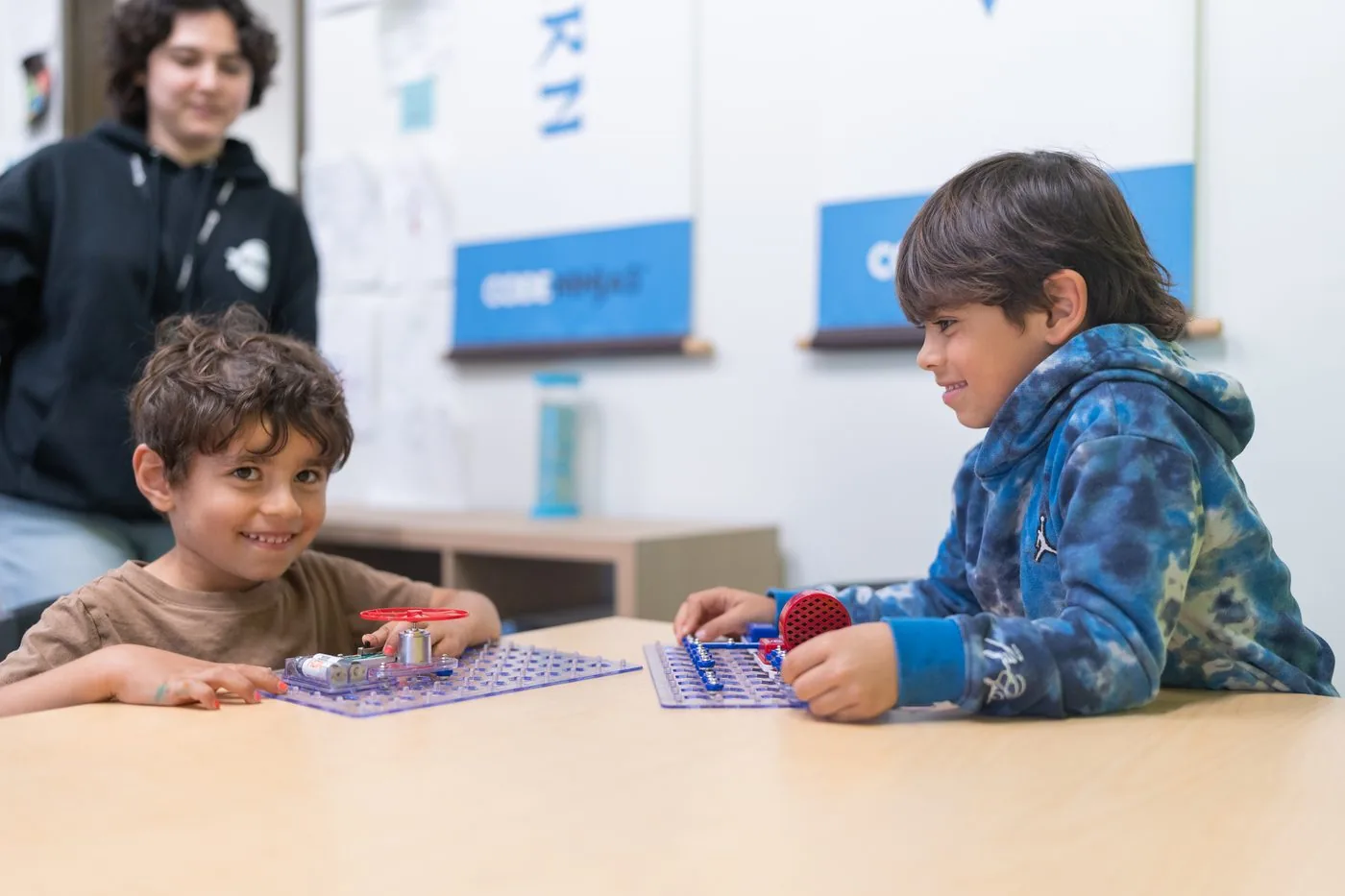
A weekly class taken alongside a core membership. Age-matched kits: VEX GO for the younger ninjas, LEGO SPIKE Prime as they move up.
What they actually build
Drive bases, grabbers, sensor-driven machines - then the programs that run them. Sensors are where it gets interesting: a robot that reacts is a robot that needs real logic.
Why it pairs well with coding
The debugging loop is identical, but the feedback is physical. Ninjas who find on-screen bugs abstract often get it immediately when the robot turns the wrong way.
The Robotics Academy
Four kits, every lesson
Age-matched kits, each with its own course. A ninja works through the one that suits them and moves up.
1LEGO SPIKE Essentials24 lessons
- 1Intro to LEGO SPIKE Essentials
- 2River Ferry
- 3Taxi! Taxi!
- 4Hovering Helicopter
- 5Swamp Boat
- 6Cable Car
- 7Big Bus
- 8Get Around Town
- 9Good Morning Machine
- 10Big Little Helper
- 11High-Tech Playground
- 12Trash Monster Machine
- 13Winning Goal
- 14Literary Randomizer
- 15Your Dojo Creation (Part 1)
- 16Your Dojo Creation (Part 2)
- 17Mini Mini-Golf
- 18Bowling Fun
- 19High Stick Hockey
- 20A-Maze-Ing
- 21Avoid The Edge
- 22Junior Pinball
- 23Creative Carnival Games (Part 1)
- 24Creative Carnival Games (Part 2)
2LEGO SPIKE Prime22 lessons
- 1Intro to LEGO SPIKE Prime
- 2Pass The Brick
- 3Going The Distance
- 4Ready, Set, Goal!
- 5Help! Help!
- 6Hopper Race
- 7Super Cleanup
- 8Broken
- 9Rain or Shine?
- 10Wind Speed
- 11Veggie Lover
- 12Break Dancer
- 13Place Your Order
- 14Out Of Order
- 15Track Your Packages
- 16Keep It Safe
- 17Keep It Really Safe
- 18Automate It
- 19Automate It More
- 20Training Camp 1: Driving Around
- 21Training Camp 2: Playing With Objects
- 22Training Camp 3: Reacting To Lines
3Ozobot Evo18 lessons
- 1Introduction to Color Codes: Basic Training
- 2Introduction to Color Codes: Speed
- 3Introduction to Color Codes: Special Moves & Win/Exit
- 4Introduction to Color Codes: Direction
- 5Write Your Name With Color Codes
- 6Loop My Day
- 7Ozobot Race Track
- 8Polar Animals
- 9Clean Energy Cruise
- 10Introduction to Color Codes: Skills Check 1
- 11Introduction to Color Codes: Timers
- 12Introduction to Color Codes: Line Switch
- 13Introduction to Color Codes: Skills Check 2
- 14How to Make Earth Happy
- 15Stargazing with Ozobot
- 16Skater Safety
- 17Pollination Garden
- 18What's the Object?
4VEX GO33 lessons
- 1Introduction to Building with VEX GO
- 2Intro to Building: Outer Space Exploration Part 1
- 3Intro to Building: Outer Space Exploration Part 2
- 4Simple Machines: Inclined Plane
- 5Simple Machines: Lever
- 6Simple Machines: Wheel & Axle
- 7Simple Machines: Gears
- 8Physical Science: Unpowered Super Car
- 9Physical Science: Super Car
- 10Physical Science: Motorized Super Car
- 11Mars Rover Surface Operations: Collect a Sample
- 12Mars Rover Surface Operations: Collect and Bury Mission
- 13Mars Rover Landing Challenge: Detect Obstacles
- 14Mars Rover Landing Challenge: Clear the Landing Area
- 15Exploring Mars Geology: Collect a Martian Rock Sample
- 16Exploring Mars Geology: Study Your Martian Rock Sample
- 17Exploring Mars Geology: Sort Your Samples
- 18Exploring Mars Geology: Planetary Geologist
- 19Remote Control Robot
- 20Code and Drive
- 21Using the LED Bumper
- 22Color Disk Maze
- 23Self-Driving Code Base: Move Until Line
- 24Self-Driving Code Base: Stop Sign
- 25Self-Driving Code Base: Construction Zone
- 26Robot Jobs: Sewer Robot
- 27Robot Jobs: Warehouse Robot
- 28Robot Jobs: Dangerous and Dirty Jobs!
- 29Ocean Emergency
- 30Robot Arm: Introduction
- 31Robot Arm: Using the Electromagnet
- 32Robot Arm: Using the Eye Sensor
- 33Robot Arm: Decision Making
“He now also does their robotics class and loves it.”
School breaks
Robotics camps, too
During the school year it is a class a week. School breaks are full days, 9am to 3pm, with a finished project by the end.
 Ages 8+LEGO Python CodingDrive LEGO robots with typed Python rather than blocks.
 Ages 8+LEGO Robotics EngineeringBuild LEGO robots and program them to finish real tasks.
 Ages 8+Robotics EngineeringProgram a robot car for speed, line tracking and obstacles.
From our parent guides
What Do Kids Actually Learn in a Robotics Class?
Building, coding, sensors and a lot of fixing. Here is what a good robotics class teaches, and what to ask about one.
Before you ask
Common questions
Do we need to buy a kit?
No. Everything is provided and stays at the studio.
Which kit will my child use?
Whichever suits their age and stage. The Academy covers VEX GO, LEGO SPIKE Essentials, LEGO SPIKE Prime and Ozobot Evo, and a sensei starts a ninja on the right one rather than working through them in a fixed order.
Can my child do robotics without coding classes?
Robotics runs alongside a core membership rather than on its own, so a ninja doing robotics is doing Junior or Create too.
How long does the whole thing take?
There are 97 lessons across the four kits, at one class a week, so this is a program a ninja stays with rather than finishes in a term.
Is it the same as the robotics camp?
No. The camp is one week on a single project. This is the Academy course, which runs through the year and is tracked lesson by lesson.
See it for yourself
A free session is the honest way to judge whether this suits your child.
Open Monday to Thursday 4-7pm and Saturday 10am-2pm.